Disclosure up front. We make PicDock, the app used in the steps below, so we are not neutral. Every PicDock detail here was checked against the source code of the released version (1.8.8) in September 2026, parts of it on a real Fire HD 8, and anything we could not confirm on Fire OS is labelled "not verified on Fire OS". We also describe Amazon's own options, which are the better fit for some families.
Fire tablets are cheap, often already in the house, and happiest sitting on a charger — which is exactly what a photo frame does. Two things make them different from other Android tablets, though: they have no Google Play services, and Fire OS does not let you pick a third-party screensaver. Both decide how you set one up.
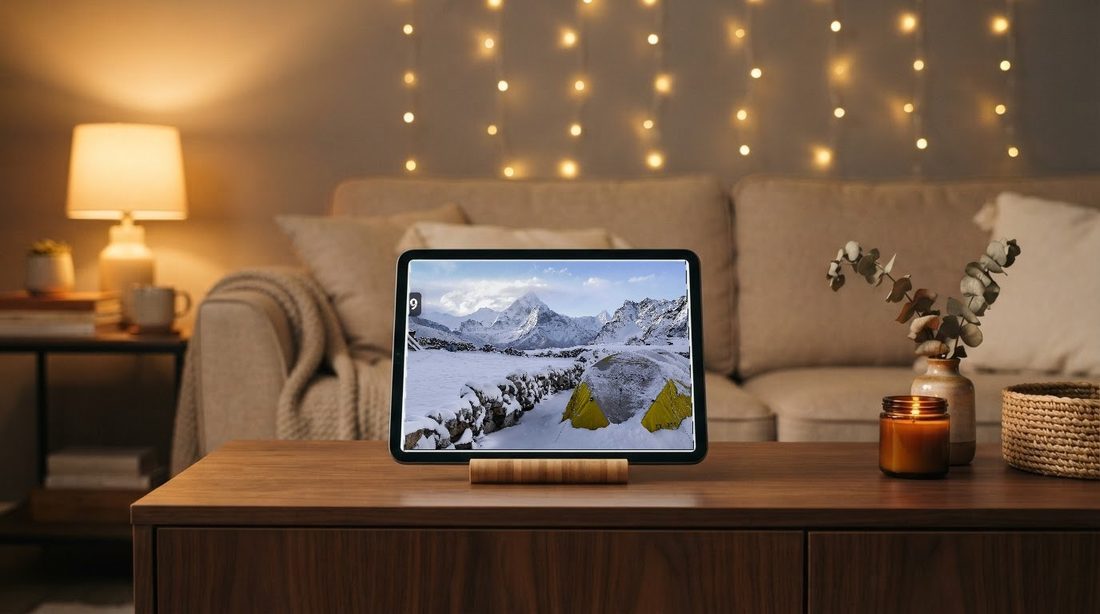
Short answer: install a frame app from the Amazon Appstore, use a photo source that does not depend on Google (photos on the tablet, a NAS, Dropbox, OneDrive or an iCloud shared album link), and leave the tablet on its charger with the app open. If your photos already live in Amazon Photos, Amazon's own app may be all you need.
What you need
- A Fire tablet on Fire OS 6 or later — for example a Fire HD 8 or Fire HD 10. PicDock needs Android 7.0 or later; tablets still on Fire OS 5 (based on Android 5.1) cannot install it. Our test tablet was a Fire HD 8 (10th generation) on Fire OS 7.3.3.1.
- A charger and a stand, or a case that folds into one. A lit screen all day drains any tablet; a frame stays plugged in.
- PicDock from the Amazon Appstore — the store name is "Photo Slideshow, Digital Frame", on both the Amazon Appstore and Google Play. It is not the macOS app picdock.app, which is an unrelated product. Amazon Appstore link.
What the Amazon edition costs
The Amazon Appstore edition is a paid app: US$4.99, one-time (the Appstore converts it to local prices in other countries). Everything is included — all transitions, display effects, clock designs, forecasts, background music and the face and pet filters — and there are no ads and no in-app purchases. In the code, the Amazon build is compiled with a single flag that switches every Premium check to "unlocked" and turns the ad and purchase code into empty stubs.
The Google Play edition works differently: free to download, with optional Premium as a US$19.99 lifetime purchase or a yearly or monthly subscription. Those Google Play options do not exist on Fire; the Amazon price above is the whole cost there. Full details: PicDock facts page.
Photo sources: what works without Google Play services
Fire tablets do not include Google Play services, and some sign-ins depend on them. Here is each source, and how sure we are:
- Photos on the tablet (copied over USB, from a microSD card, or taken with the tablet) — read through Android's standard media library, no Google involved.
- NAS or Windows shared folder (SMB) — Synology, QNAP, a Windows PC. Its photo list loaded in our Fire HD 8 check on an earlier build (1.6.5). Setup: NAS photo frame guide.
- Dropbox — signs in through Dropbox's own page (the Dropbox app or the browser), not through Google. Its photo list loaded in our Fire HD 8 check on an earlier build (1.6.5); sign-in and automatic refresh in 1.8.8 are not verified on Fire OS. Guide: Dropbox folder.
- OneDrive — signs in through Microsoft's page in the browser, not through Google. Not verified on Fire OS. Guide: OneDrive folder.
- iCloud shared album — you paste the album's public link, no sign-in at all. Its photo list loaded in our Fire HD 8 check on an earlier build (1.6.5); large albums are not verified on Fire OS. Guide: iCloud shared album.
- Google Photos — not expected to work. PicDock's Google Photos source signs in with Google Sign-In from Google Play services, which Fire tablets do not have. We have not tested it on Fire OS, but we would not buy the app for this.
Please do not sideload Google Play onto a Fire tablet to get around this. It is not a setup Amazon supports, it can break with Fire OS updates, and it is a poor foundation for a device meant to run untouched for months. If your family photos are in Google Photos, a regular Android tablet is the better frame.
You can mix sources on one frame — for example a NAS folder plus a Dropbox folder — with "Add to current" when you pick the second source.
Other Fire differences we found and fixed
- Weather location. Automatic location uses Google Play services, so on Fire it does not work. Fire OS's own city lookup also failed on our Fire HD 8, so PicDock looks cities up through Open-Meteo instead: type your city name in weather settings.
- Face and pet filters use on-device models bundled inside the app, so they do not need Google Play services. Face detection and grouping people ran on our Fire HD 8 (a 32-bit device) without running out of memory.
- No "Premium" badges. Early Amazon builds showed Premium badges to people who had already paid; the paid build now hides them.
The screensaver limit — and what to do instead
On Android tablets and Android TV, a frame app can be the system screensaver (Android's "Daydream"): the device starts it by itself while charging. Fire OS does not offer a setting to choose a third-party screensaver, so PicDock's screensaver mode is not available on Fire tablets. The frame has to be the app itself, open in front.
That is less of a problem than it sounds, because the app is built to be left open:
- Keeps the screen on while it is in front, so you do not need to change the Fire's screen timeout.
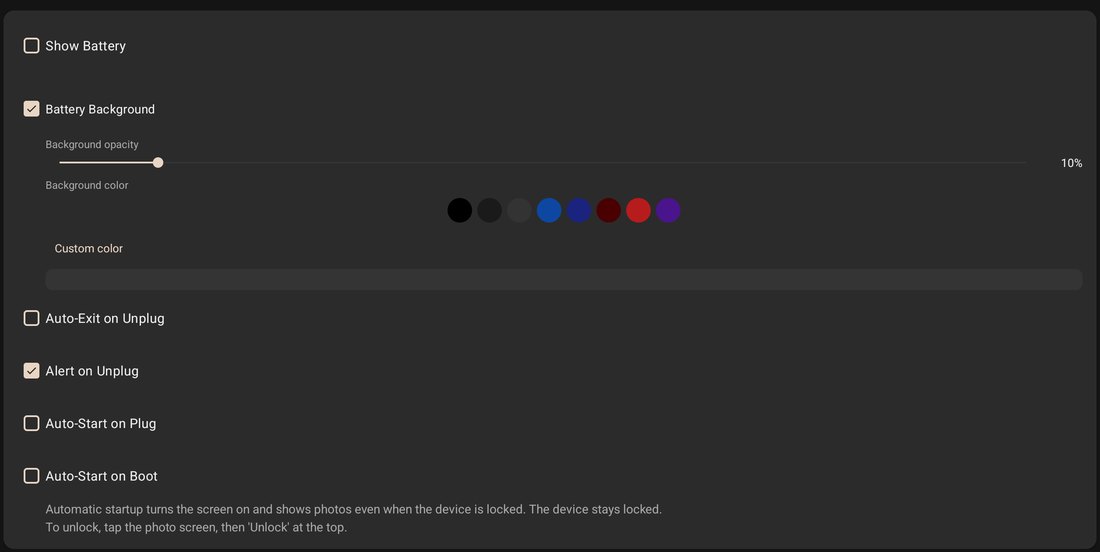
- Auto-start when the charger is connected, and after a reboot. This is part of the Amazon build too. It needs the Android permission "Display over other apps", which the app asks for when you switch it on. Not verified on Fire OS — Fire OS's handling of that permission and of background start may differ, so check it once by unplugging and replugging.
- Sleep schedule for the night: a black screen by default (or a dim clock), with an option to really turn the display off and wake it in the morning. Waking the display on Fire OS is not verified.
More on the unattended part — screen, reboots, night, lock screen: always-on tablet guide.
Amazon's own options: Show Mode and Amazon Photos
Before buying anything, check whether Amazon's built-in tools already do what you want:
- Show Mode turns a compatible Fire tablet into an Alexa smart display you use from across the room; you switch it on from the pull-down menu or by saying "Alexa, switch to Show Mode". According to Amazon's help page (checked September 24, 2026), it is compatible with the Fire HD 8 (7th, 8th and 10th generation) and Fire HD 10 (7th, 9th and 11th generation), and not with the Fire 7 models, the Fire HD 8 (12th generation), the Fire HD 10 (13th generation) or the Fire Max 11.
- Amazon Photos. Amazon's Amazon Photos app listing says you can "select an album or collection to 'Play a slideshow'", with voice commands such as "Show my photos".
If the family's photos are already in Amazon Photos and you mostly want a slideshow of them, start there. A dedicated frame app earns its place when the photos live somewhere else (a NAS, Dropbox, OneDrive, an iPhone family's shared album) or when you want frame features such as a clock and weather over the photos, a night sleep schedule, two portrait photos side by side, and starting by itself on the charger.
Setup in four steps
- Install PicDock from the Amazon Appstore on the Fire tablet.
- Choose a source in Photo sources: on the tablet, NAS, Dropbox, OneDrive or an iCloud shared album link.
- Weather (optional): type your city name.
- Charger and stand: leave the app open. Optionally turn on auto-start on charger and a sleep schedule, and test once by unplugging and replugging.
FAQ
Can a Fire HD 8 be used as a digital picture frame?
Yes. Install a frame app from the Amazon Appstore, choose where the photos come from, and leave it on its charger with the app open. Amazon's own options are Show Mode on compatible models and slideshows in Amazon Photos.
What is a good photo frame app for a Fire tablet?
PicDock ("Photo Slideshow, Digital Frame") is in the Amazon Appstore as a paid app, US$4.99, with all features, no ads and no in-app purchases. We make it. If your photos are already in Amazon Photos, Amazon's app is the simpler choice.
Does Google Photos work on a Fire tablet frame?
Not expected in PicDock's Amazon edition: its Google Photos source signs in through Google Play services, which Fire tablets lack. Not verified on Fire OS. Do not sideload Google Play for it.
Can the app run as the Fire tablet's screensaver?
No. Fire OS offers no setting to pick a third-party screensaver. Keep the app open on the charger instead; it keeps the screen on and can start itself when the charger is connected.
Which Fire tablets can install it?
Fire OS 6 or newer (Android 7.0+). Tablets still on Fire OS 5 cannot. We tested on a Fire HD 8 (10th generation), Fire OS 7.3.3.1.
In short
A Fire tablet makes a good frame if you work with its two limits: no Google Play services (so use the tablet's own photos, a NAS, Dropbox, OneDrive or an iCloud shared album — not Google Photos) and no third-party screensaver (so keep the app open on the charger). If your photos are in Amazon Photos, try Amazon's own slideshow first.
PicDock on the Amazon Appstore (paid, US$4.99) · PicDock facts · Android frame app comparison